Hardware: $Ask for quote
Annual Cyber Security Monitoring/VPN Services: $199/year ($19/month)
For
Powered by
The Security Stack




For a Better Network
Smart Traffic Management

Free Install

Sophisticated Security and Networking Features

Powerful Hardware

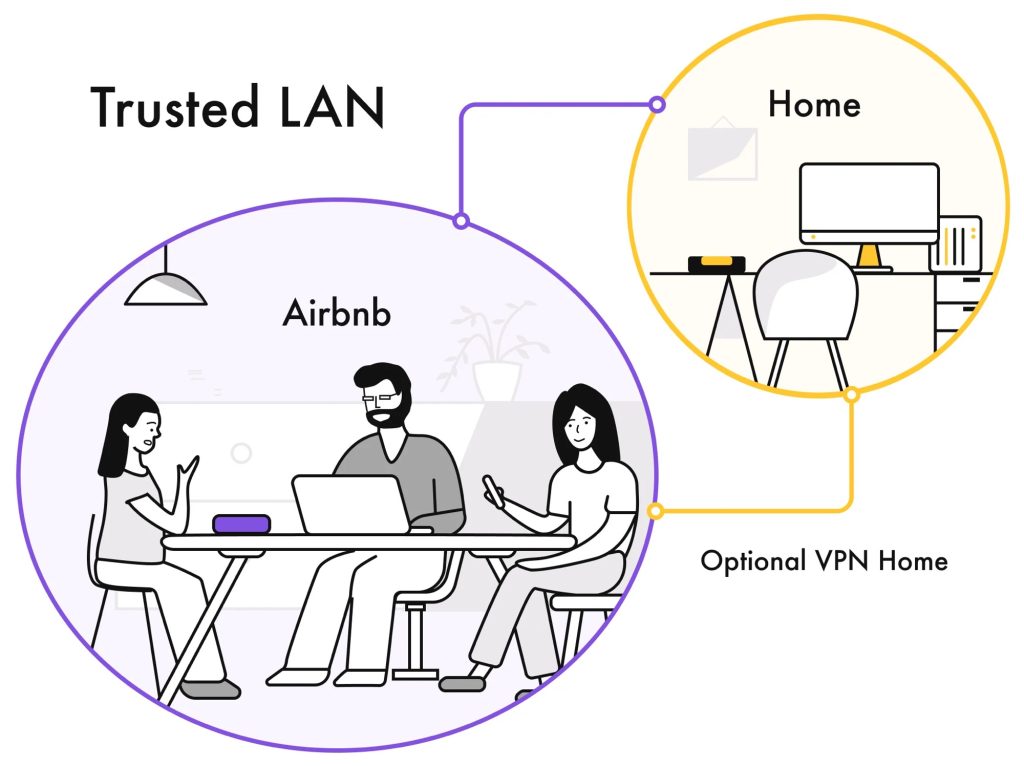
Trusted LAN
Take the FWV1 with you to make public networks safer with a trusted LAN. A trusted LAN is a network segment that’s fully under the Firewall’s protection, enabling you to have full visibility and control of everything flowing through it.
Deeper Insights
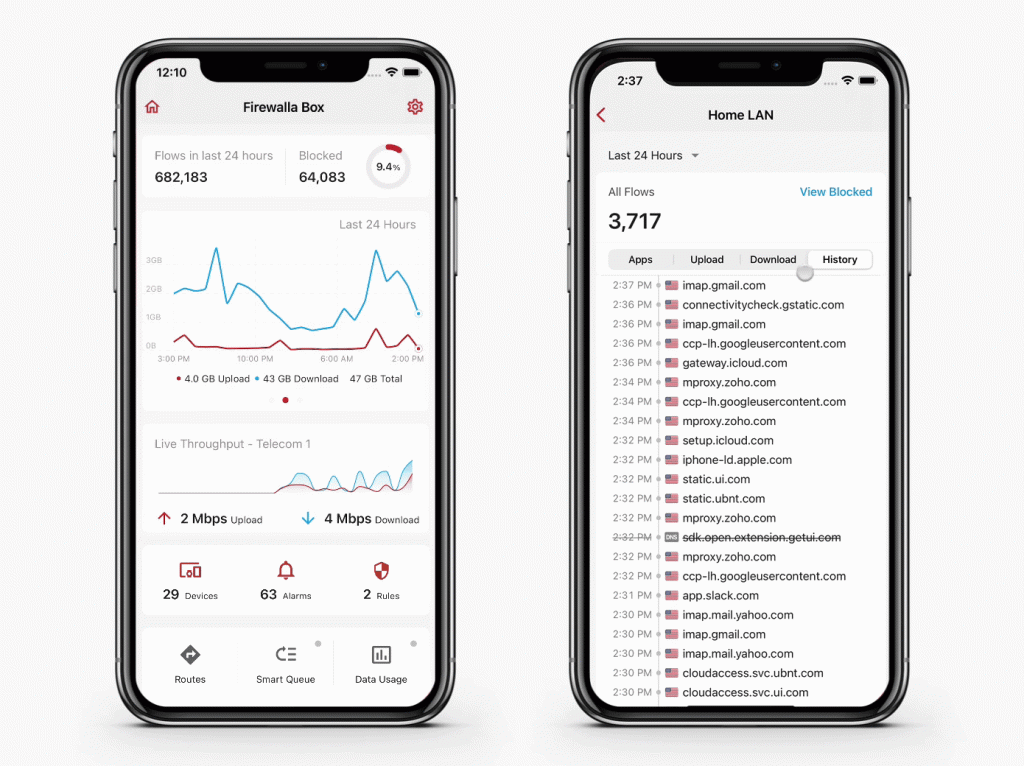
See and understand your network like never before:
- Network flow detail
- Blocked flows
- Real-time throughput
Cyber Security
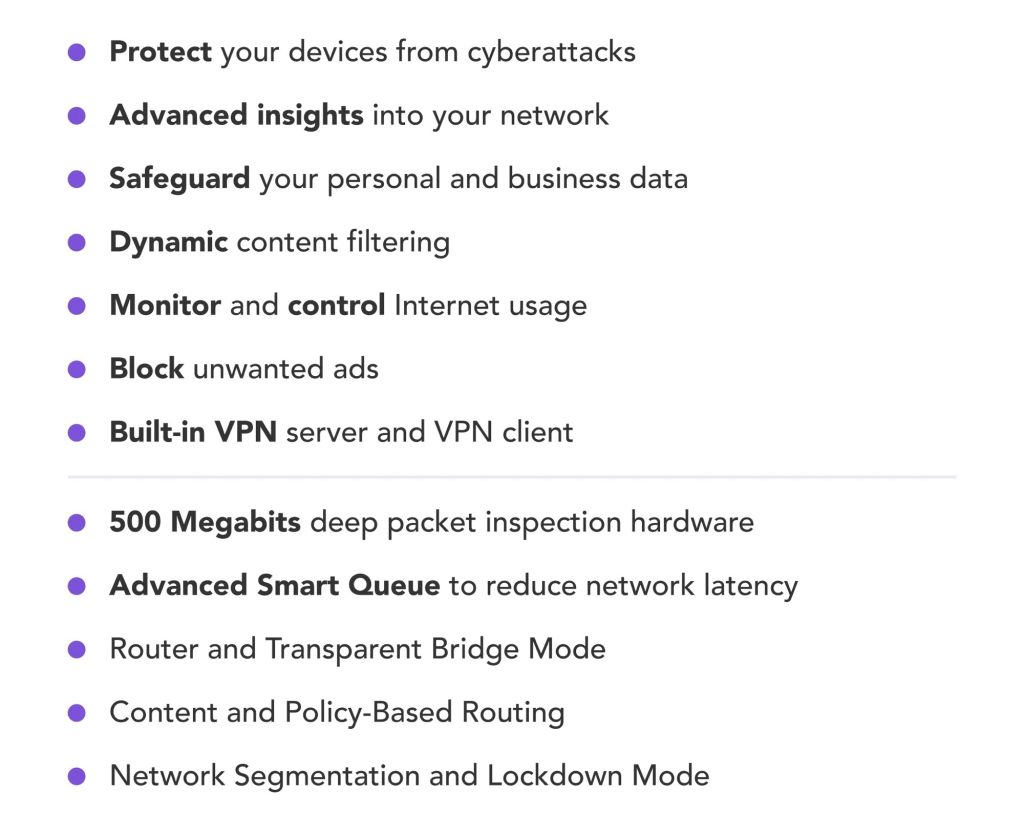
From smart speakers to baby monitor cameras, there is no shortage of technology in your home for hackers to exploit. Protect your device automatically from cyber threats and alert you when it happens.
- Active Protect: intrusion detection and prevention neutralizes attacks and threats before they happen
- Behavior Analytics: analyze device action and detect abnormal behavior
- Control: take control of your network with powerful rules engine

Blocking Countries off your Network
Advanced GEO-IP Filtering
With GEO-IP Filtering, a technology that can block network traffic from an entire country, you can effectively stop hackers from remotely attacking your business or home network.

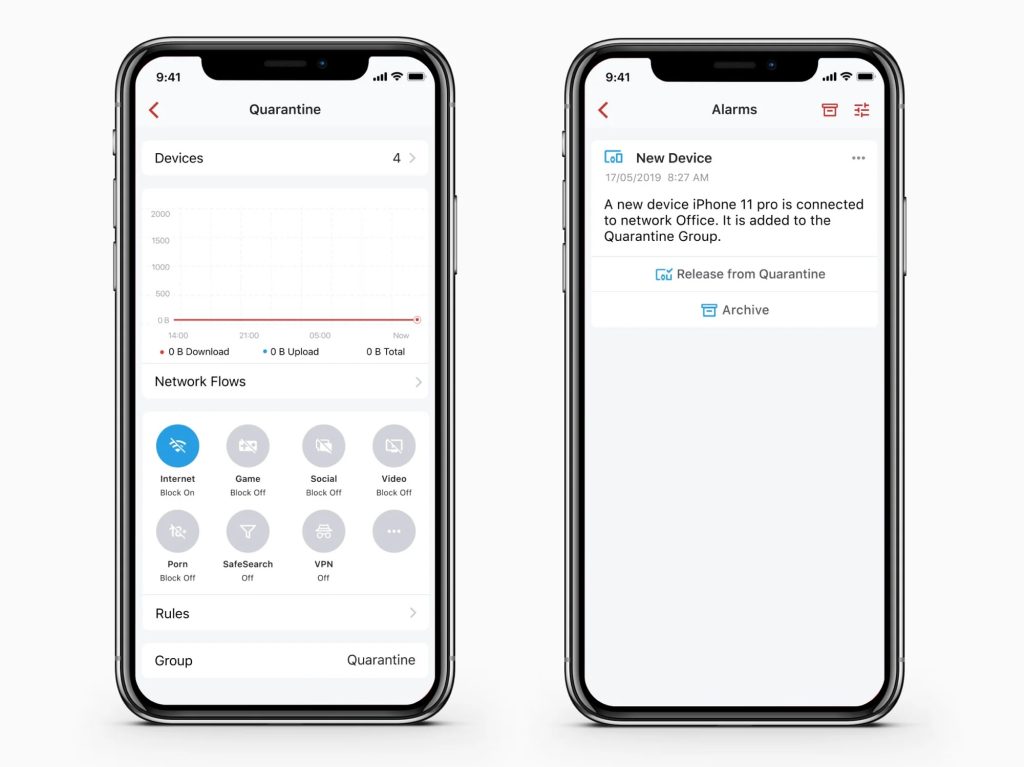
New Device Quarantine
Protect your network by automatically placing new/unknown devices in a quarantine group. You can apply any content filtering or rate limit rules to this quarantine group.

Securely Connect to Any Device
Scan
Identify security risks across your network, including open ports and weak passwords.

Network Segmentation
Network segmentation divides your network into regions with dynamic and static policies/rules. supports VLAN-based segmentation.
- Actively quarantine any device and restrict its behavior on the network
- Segment important devices from the rest
- Apply policies to manage segment-to-segment traffic
- Great for creating a network for “work” and another for “kids”

Privacy Protection
Make Your Privacy a Priority with VPN
Are you comfortable sharing your data when using public Wi-Fi or traveling to regions where the internet is filtered or controlled? Introducing the VPN server, a VPN server that runs inside of your home or business.
- Protect your privacy when using public Wi-Fi
- No bandwidth throttling
- Surf the web virtually “at home” from anywhere
- Bypass internet filtering and monitoring when traveling
- Easy remote access to your work network
- Supports both OpenVPN and WireGuard

Securely Connect to Any Device
VPN Client
With VPN Client, you can connect any devices in your network to OpenVPN, WireGuard, and AnyConnect-based services.
- Connect any IoT devices like Apple TV to third-party VPNs
- Remotely connect your home devices to another Fire wall
- Connect two sites together with a site-to-site VPN and access devices securely both ways
- Connect to and route to multiple VPN services
- Connect to a group of VPN services for improved availability

Say Goodbye to Annoying Ads
Website ads and trackers have been frustrating internet users for years. That’s why built-in ad blocker makes sure you don’t see ads and the ads don’t see you.
- Block ads across all devices
- DNS cache to speed up all other lookups

Protect Your DNS
DNS over HTTPS
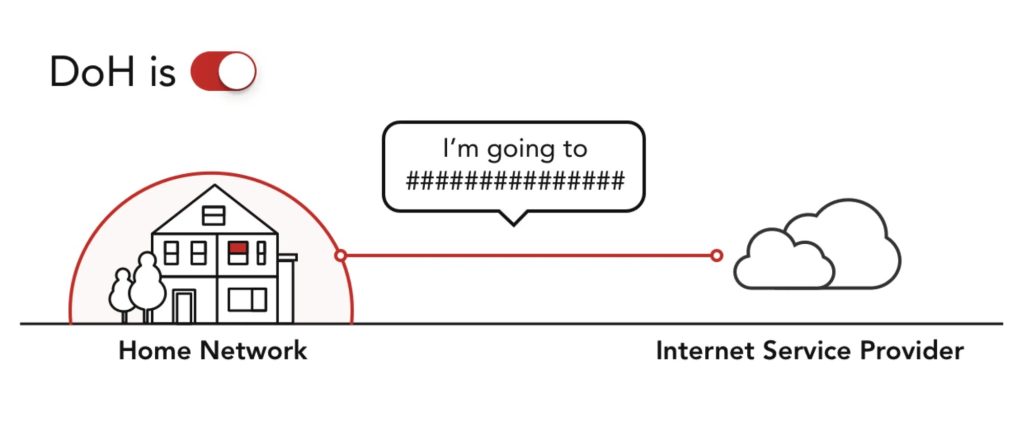
Traditionally DNS requests are sent in plain text between the client and the DNS server. DNS over HTTPS (DoH) sends DNS requests encrypted over HTTPS. It makes DNS exchange more secure and protects user privacy.
Unbound
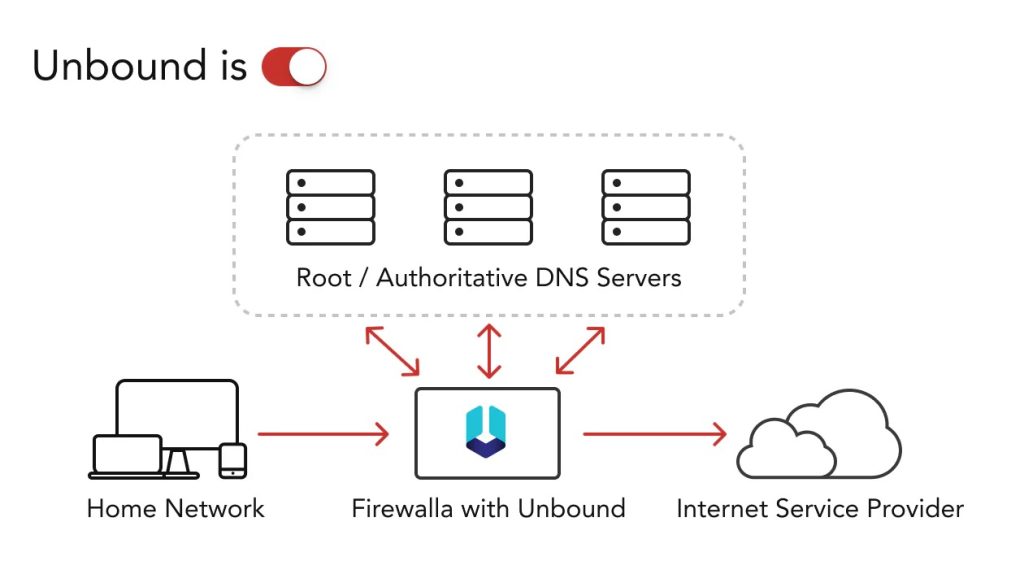
Unbound is a validating, recursive, caching DNS resolver, installed locally on the Firewall box, which helps increase your online privacy and security.
NTP Intercept: Securely Sync Time
Intercept NTP requests and process them locally on the Firewall, reducing your network’s risk exposure and saving bandwidth.

Parental Control
Parenting with Ease
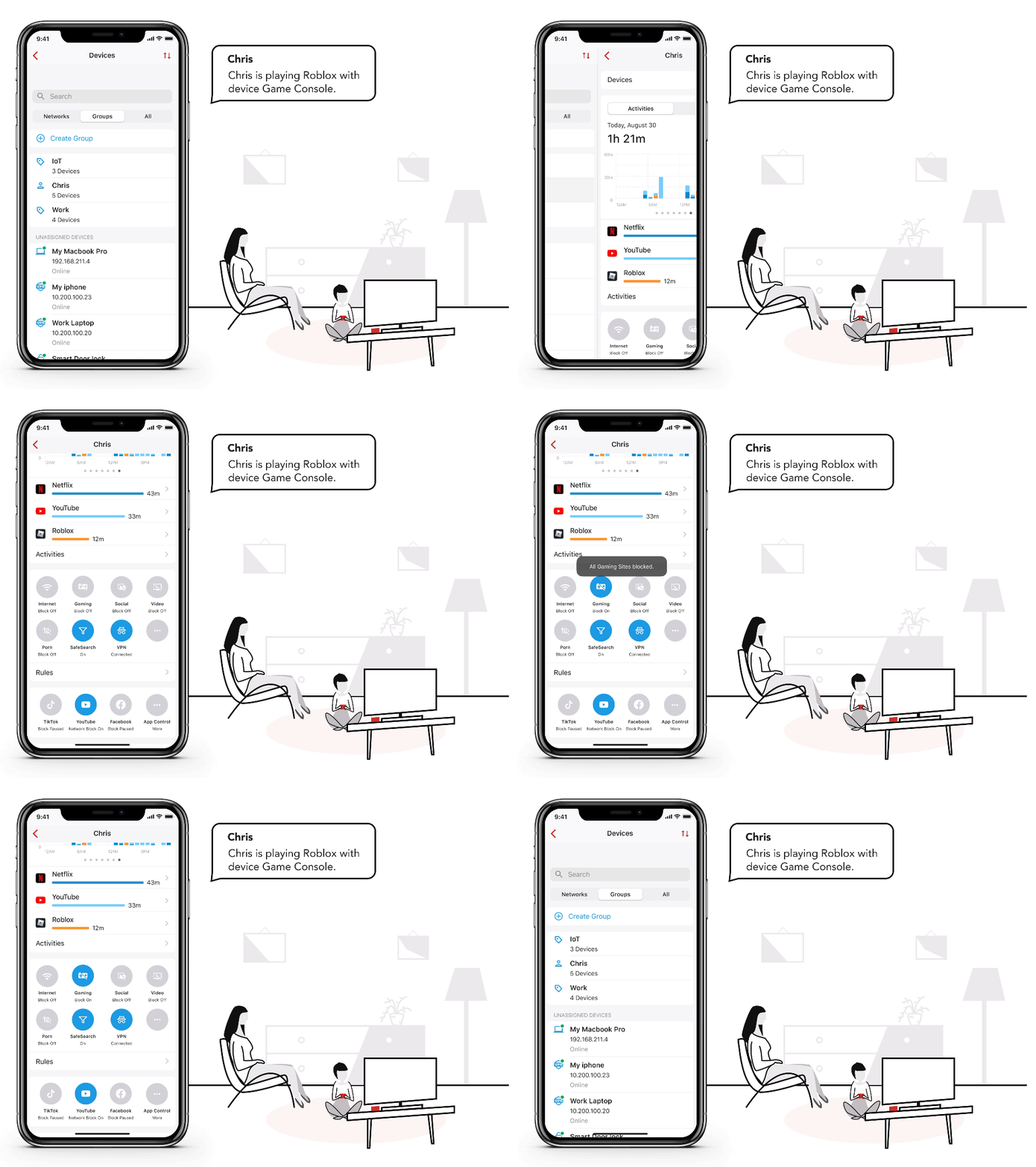
Parenting is a tough job, but we make things easier. With a simple tap of a button, you can:
- Restrict internet access
- Stop any devices from playing online games
- Block social networking
- Monitor online activity
- Receive online activity alerts
- Block malicious and adult content
- Block popular applications
- Put everything on a schedule
Safe Search
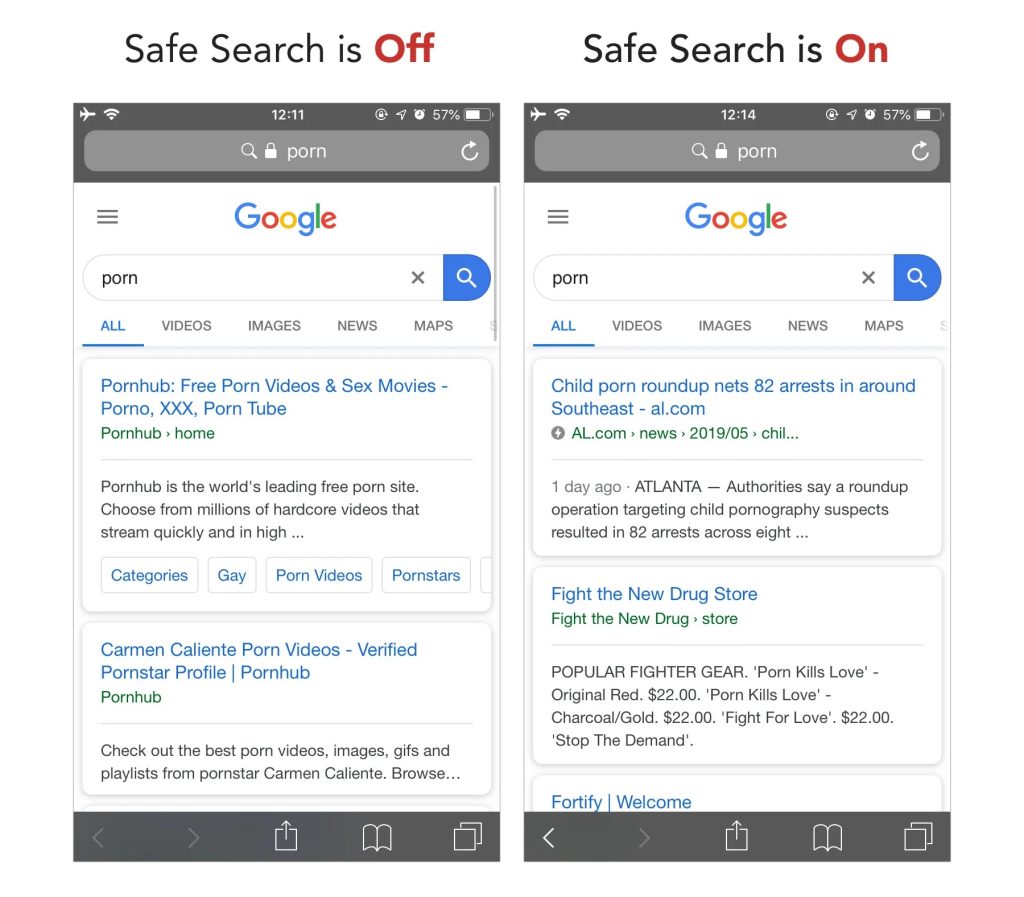
Safe Search is a feature used by major search engines like Google Search, YouTube, Bing, and DuckDuckGo to filter adult content out of search results. If anyone enters an inappropriate or suggestive phrase in the search bar, the results will be filtered for offensive content.
Take Back Family Time
We are committed to taking back family time from social networks. The “Social Hour” feature blocks all social networks for one-hour increments, giving you more time with family.

Users
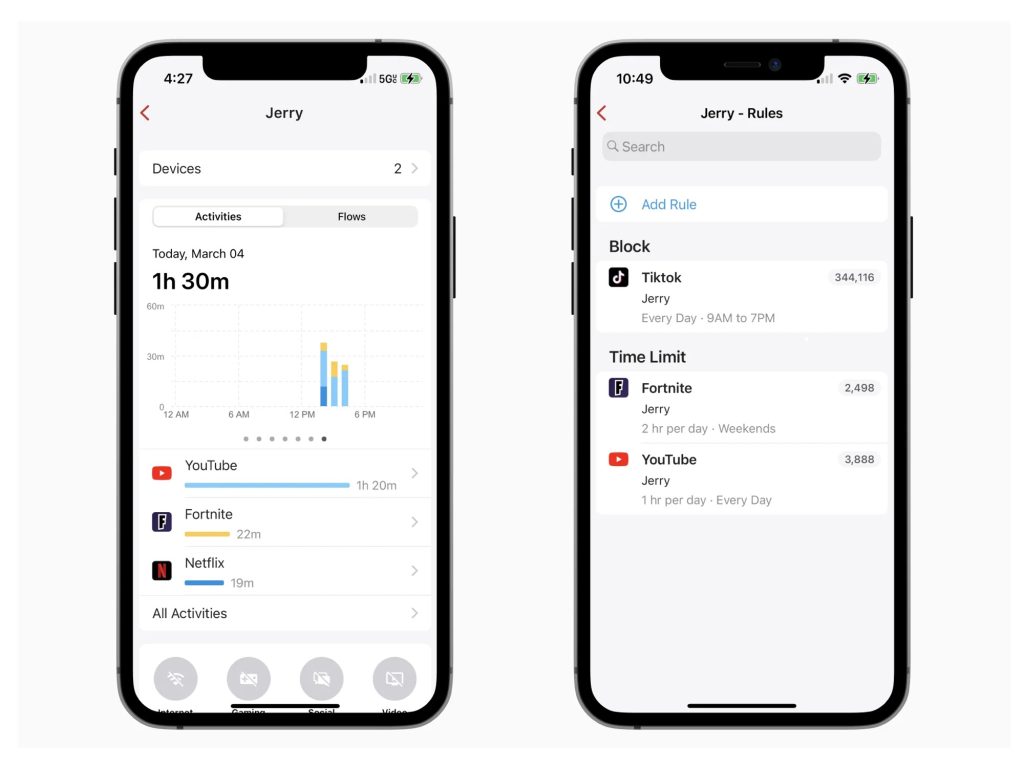
Track and limit app usage for a set of devices.
- See exactly when someone was using certain apps
- Set time limits for different activities
Build a Better Network
Powerful Rules Engine
Full control of your network.
- Block web pages, cut off access to devices and remove ads
- Block activities such as gaming, social, video, porn, gambling, and p2p
- Block domains or top-level domains with wildcards
- Block IP addresses and subnets
- Block based on location and region
- Block any port
- Get notified when devices are online or offline
- Give exceptions to blocking rules
- Put everything on a schedule

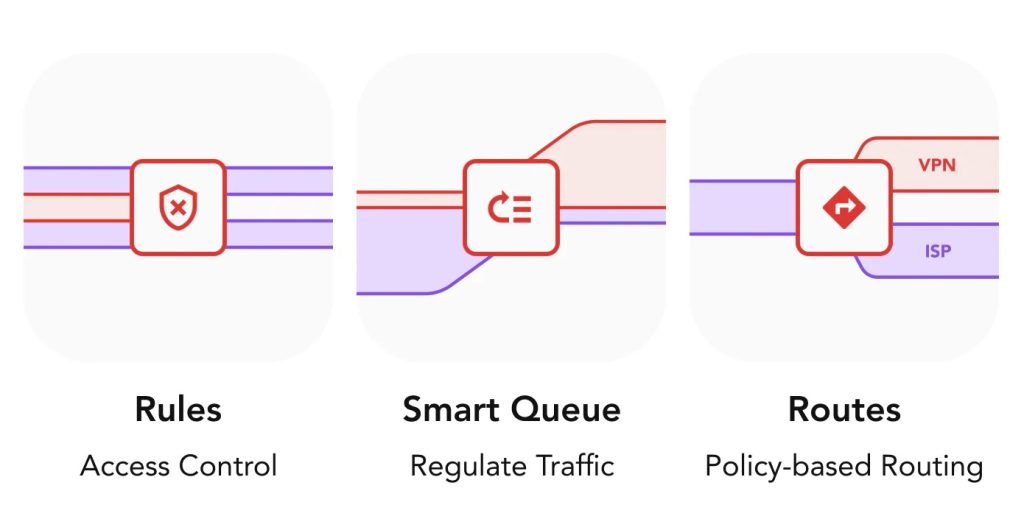
Regulate Network Traffic The Smart Way
Advanced Smart Queue + Rate Limit
Advanced Smart Queue prioritizes traffic and reduces delays (buffer bloat) when your network is heavily loaded.
- Prioritize and rate limit applications, activities or network flows
- Control congestion and reduce buffer bloat


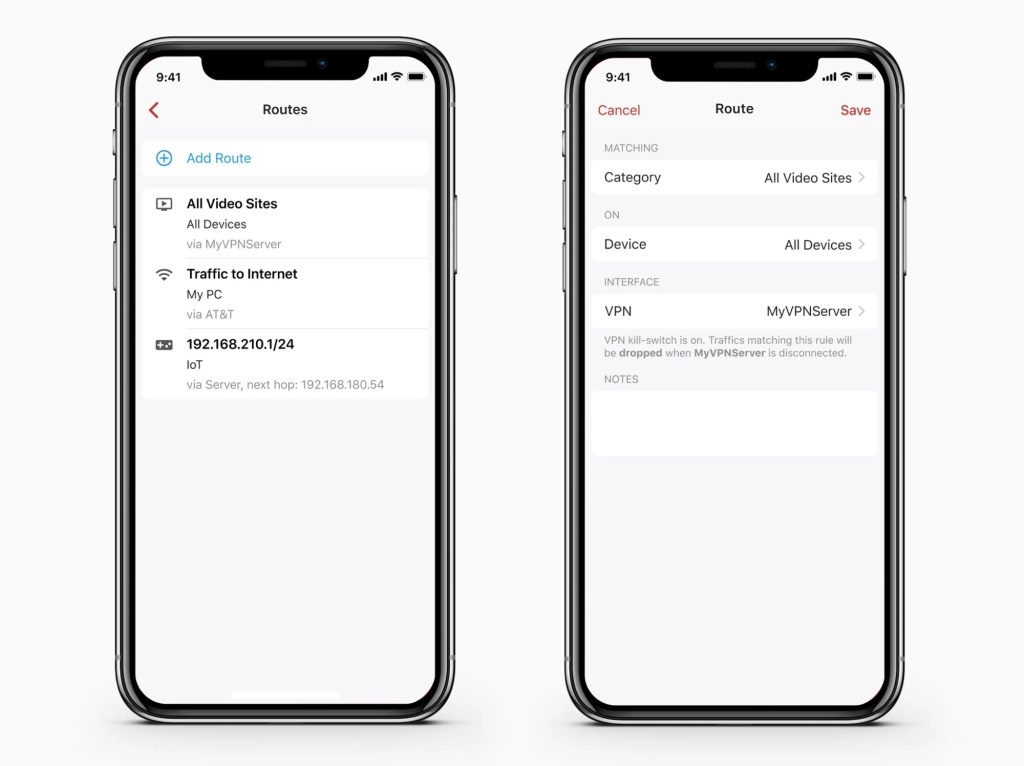
Smart Routing
Policy & Content-Based Routing (PBR)
PBR allows you to selectively route traffic based on a set of rules or the content type. For example, you can send all video traffic to a VPN Client or send all banking sites to a different WAN interface
Bandwidth Usage Insights
Track Monthly Data Usage
Worried about Internet usage limits or network performance issues? Deep Insight provides a summary of hourly, daily or monthly usage, allowing you to dig deep into any device and see the IP or domain address consuming bandwidth and stop it.
- Hourly, daily, and monthly bandwidth usage summary
- Per device bandwidth usage stats
- Deep dive into any device
- Identify which domains are consuming bandwidth
- Tap to block

Network Performance and Quality Monitoring
A better network also improves your experience. Providing tools to help you monitor and achieve better network performance.
- Wi-Fi / LAN performance
- WAN Performance
- Internet Speed
- Network Latency
- Network Packet loss


Easy Setup & Install
Router Mode
A software-based router, managed by an app. Connect it directly to your ISP modem and take your home networking experience to the next level.
- Static Routing
- PPPoE
- PPPoE over VLAN
- DHCP
- Static IP
- VLAN (Max 5)

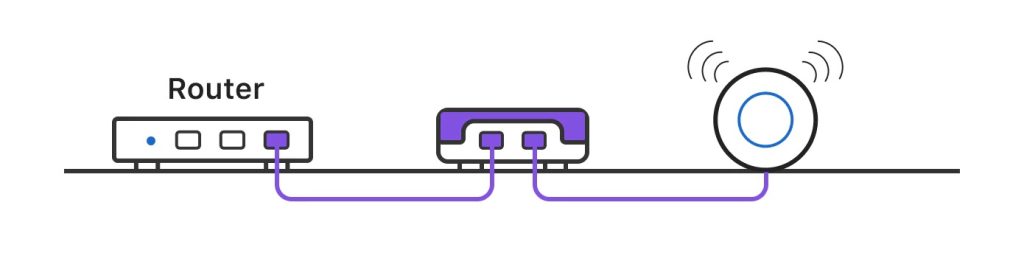
Transparent Bridge Mode
Transparently bridge two networks together by inserting the Firewall in the middle.
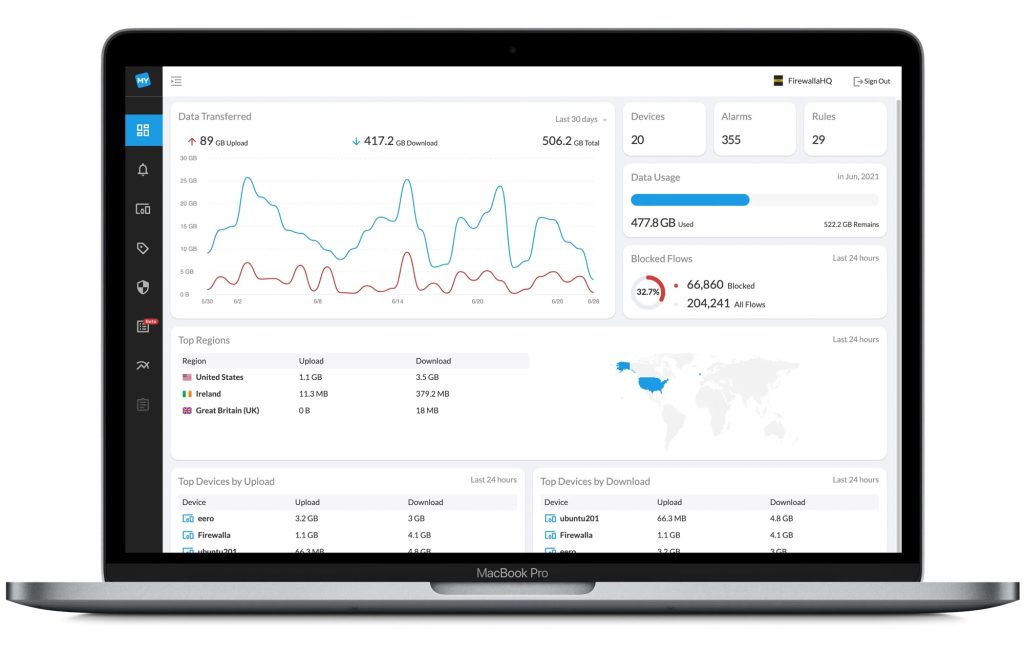
Web Interface
Web interface complements the mobile app on complex operations to help you manage and control your network.
To get a quote and order, tell us what features you are the most interested in at:
For technical support: